Anomaly Identification Guide
Real in-game screenshots of every anomaly type in Anomaly Cafe. Learn to tell normal customers from threats — your team's survival depends on it.
Golden Rule
Always verify on CCTV before serving. Rejecting a normal customer costs you tips — serving an anomaly can end your run. When unsure, reject.
⚠ In-Game Screenshot
Meat Man
AppearanceFirst seen Day 2Instead of a cute looking critter, this anomaly will show up looking like raw meat or a skinned carcass.
🔍 How to Identify
Visual inspection - customer appears as raw meat or skinned carcass instead of normal cute critter
🛡️ What to Do
- ✓Reject customer immediately
- ✓Report via CCTV
- ✓Do not serve
⚠ In-Game Screenshot

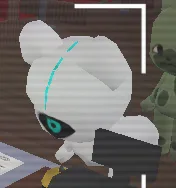
Eye Ghost
CameraFirst seen Day 3When checking the camera, the anomaly will appear as a white one-eyed ghost with a mouth on top.
🔍 How to Identify
Check CCTV - appears as white ghost with single eye and mouth on top
🛡️ What to Do
- ✓Identify via camera
- ✓Reject the customer
- ✓Alert team members
⚠ In-Game Screenshot
Creepy Smile
AppearanceFirst seen Day 3An anomaly with two white eyes and a big creepy smile.
🔍 How to Identify
Visual check - unnaturally wide smile with white glowing eyes
🛡️ What to Do
- ✓Reject politely
- ✓Do not serve
- ✓Monitor via camera
⚠ In-Game Screenshot
One Eye
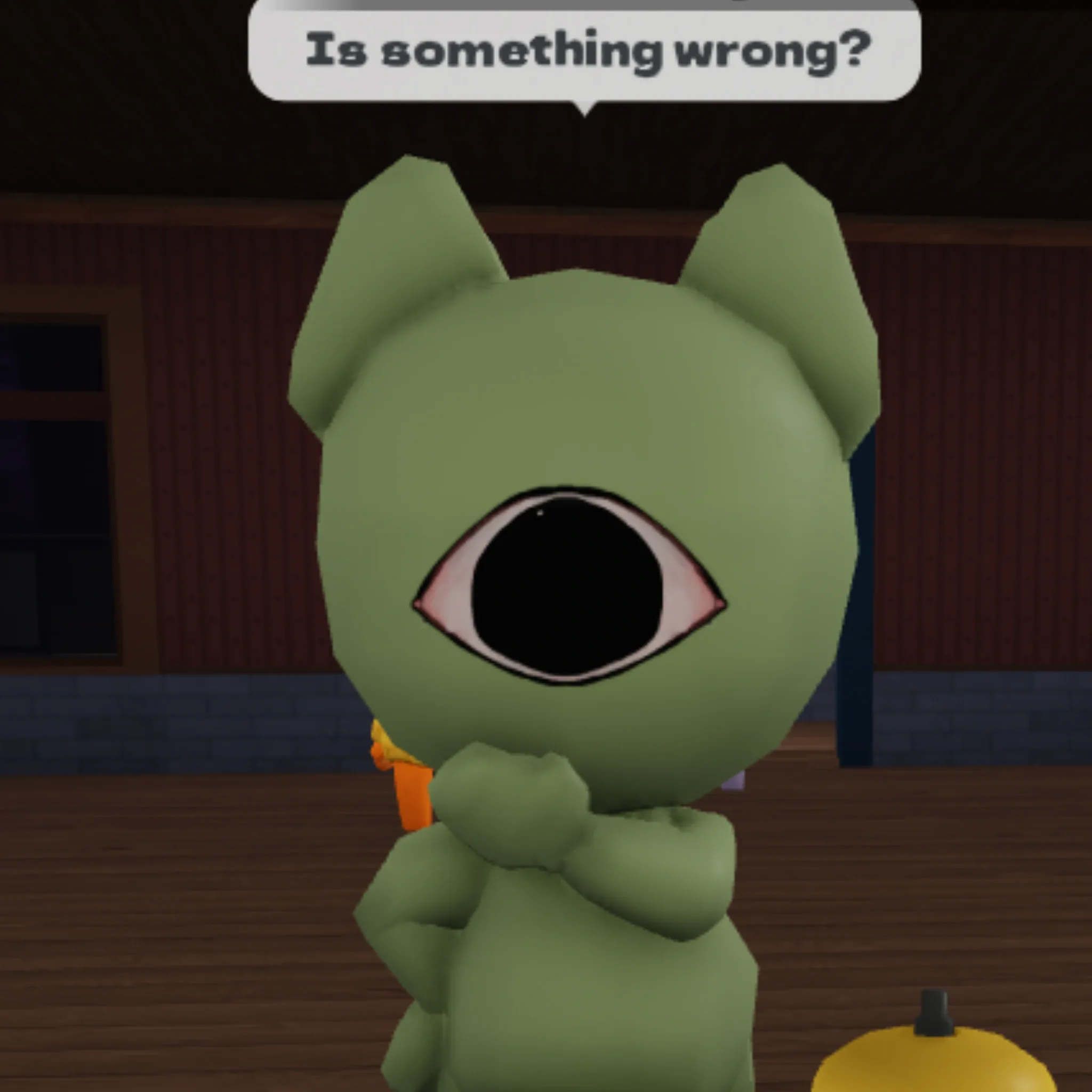
AppearanceFirst seen Day 4An anomaly with one large eye in the center of its face.
🔍 How to Identify
Visual check - single large central eye instead of normal two eyes
🛡️ What to Do
- ✓Reject immediately
- ✓Do not make eye contact
- ✓Report to team
⚠ In-Game Screenshot
Hollow Eyes
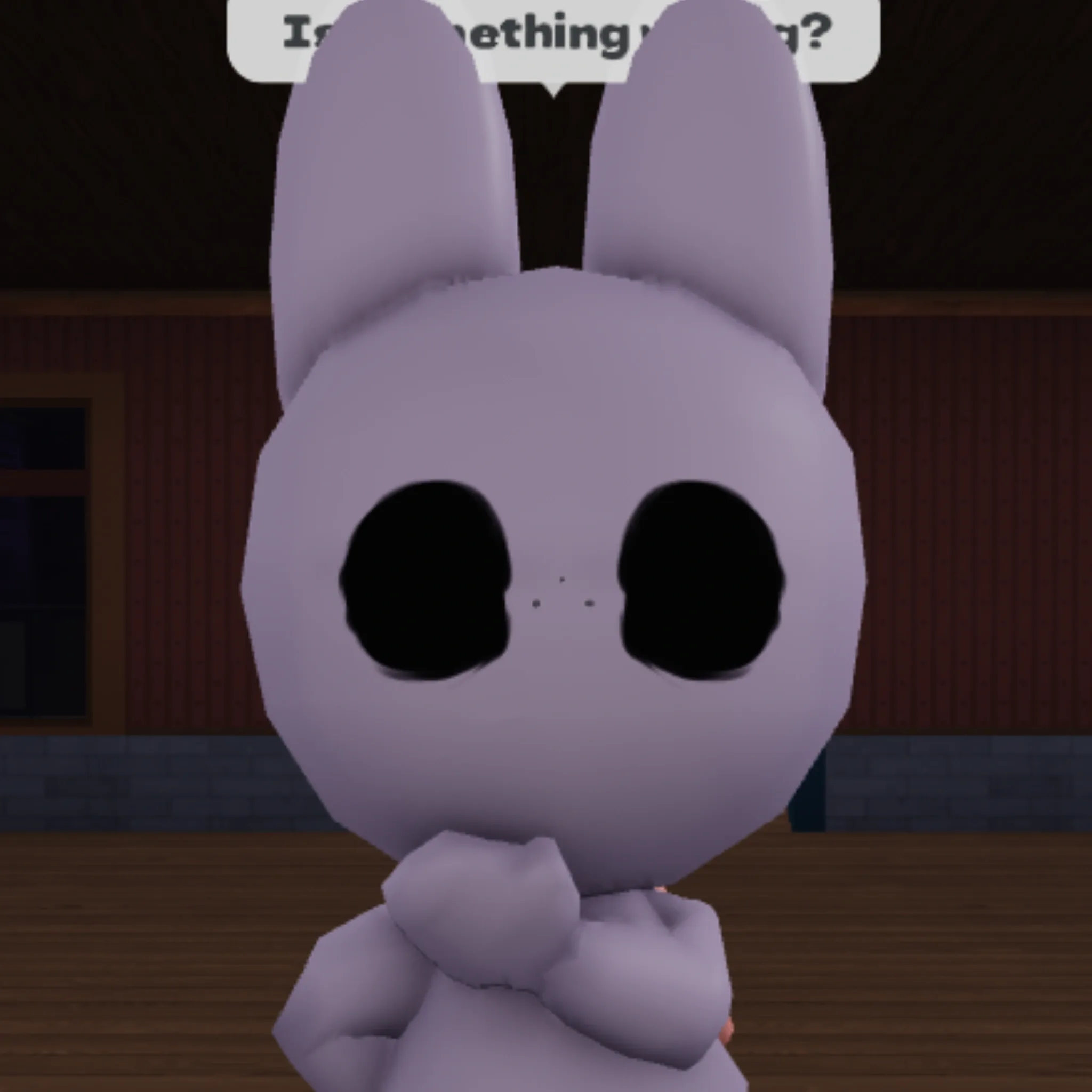
AppearanceFirst seen Day 5An anomaly with two black eyes and without mouth or nose.
🔍 How to Identify
Visual inspection - completely black eyes, no mouth or nose visible
🛡️ What to Do
- ✓Reject customer
- ✓Maintain distance
- ✓Use CCTV to confirm
⚠ In-Game Screenshot
Angry Face
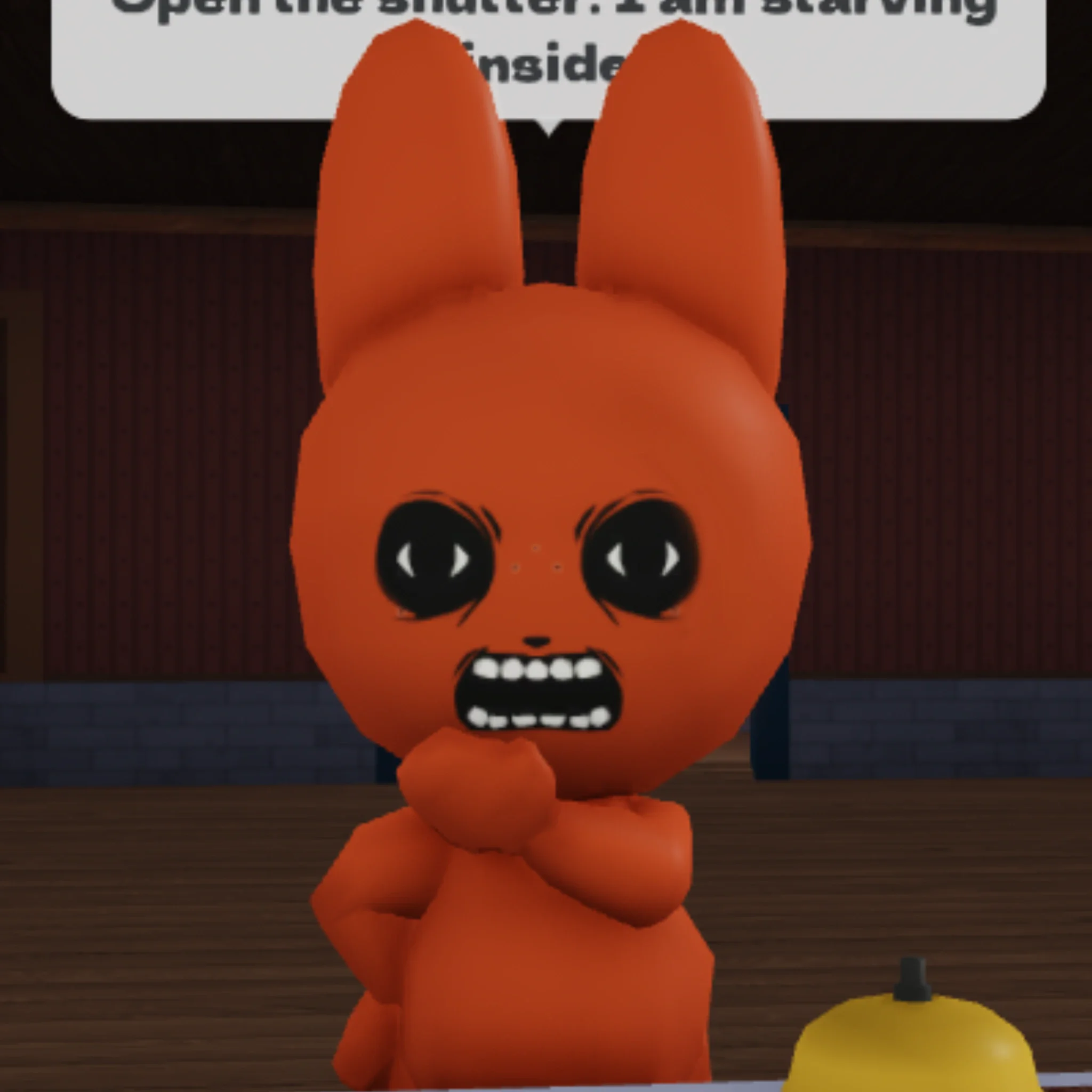
AppearanceFirst seen Day 6An anomaly with two black eyes inside black holes and opened mouth with teeth.
🔍 How to Identify
Visual inspection - eyes appear as black holes with visible teeth in open mouth
🛡️ What to Do
- ✓Reject immediately
- ✓Alert all staff
- ✓Increase vigilance
⚠ In-Game Screenshot
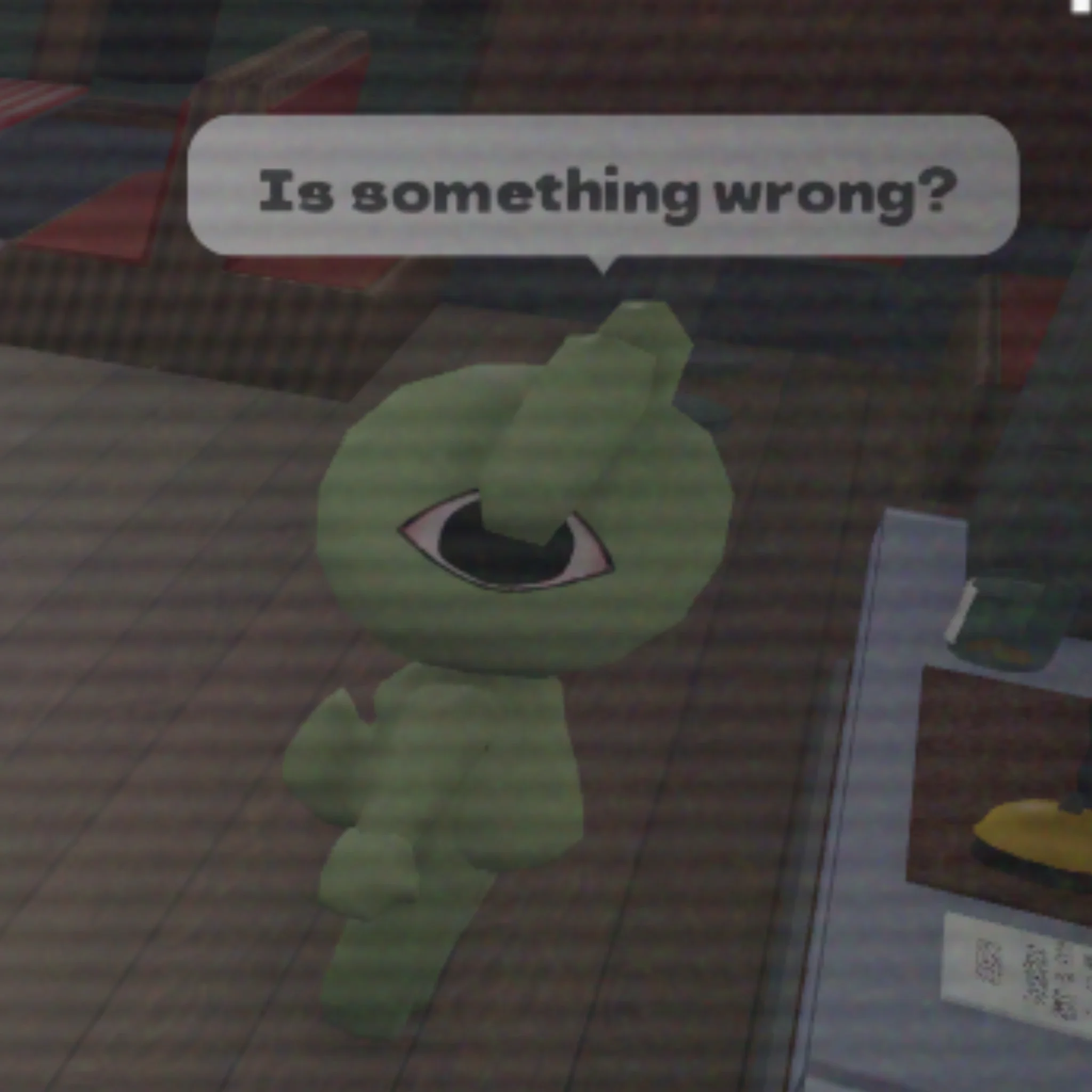
Camera Looking
BehaviorFirst seen Day 7When checking the camera, the anomaly will look directly at you through the camera.
🔍 How to Identify
CCTV monitoring - customer turns and stares directly at camera
🛡️ What to Do
- ✓Reject customer
- ✓Multiple staff verification
- ✓Exercise extreme caution
⚠ In-Game Screenshot
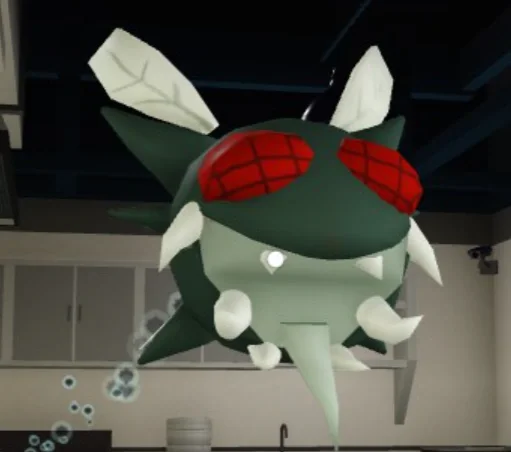
Head Banger
BehaviorFirst seen Day 8When checking the camera, the anomaly appears by banging its head on the table.
🔍 How to Identify
CCTV - customer repeatedly hitting head against table
🛡️ What to Do
- ✓Reject customer
- ✓Do not approach alone
- ✓Report immediately
🎥 CCTV Tips
- • Spend 2–3 seconds per customer — not less
- • Eye Ghost and Camera Looking only show on camera
- • If a customer stares back at you, reject immediately
- • Ask a teammate for a second opinion on Day 5+
🧠 Survival Rules
- • When in doubt — always reject
- • Low sanity makes anomalies harder to spot
- • Rotate CCTV duty every 4–5 customers
- • Assign one dedicated camera watcher from Day 3